Design documents the way you think.
A visual WYSIWYG editor built for Salesforce teams. Insert merge fields from any object, build formulas, design tables, and embed charts — all without writing a single line of code.
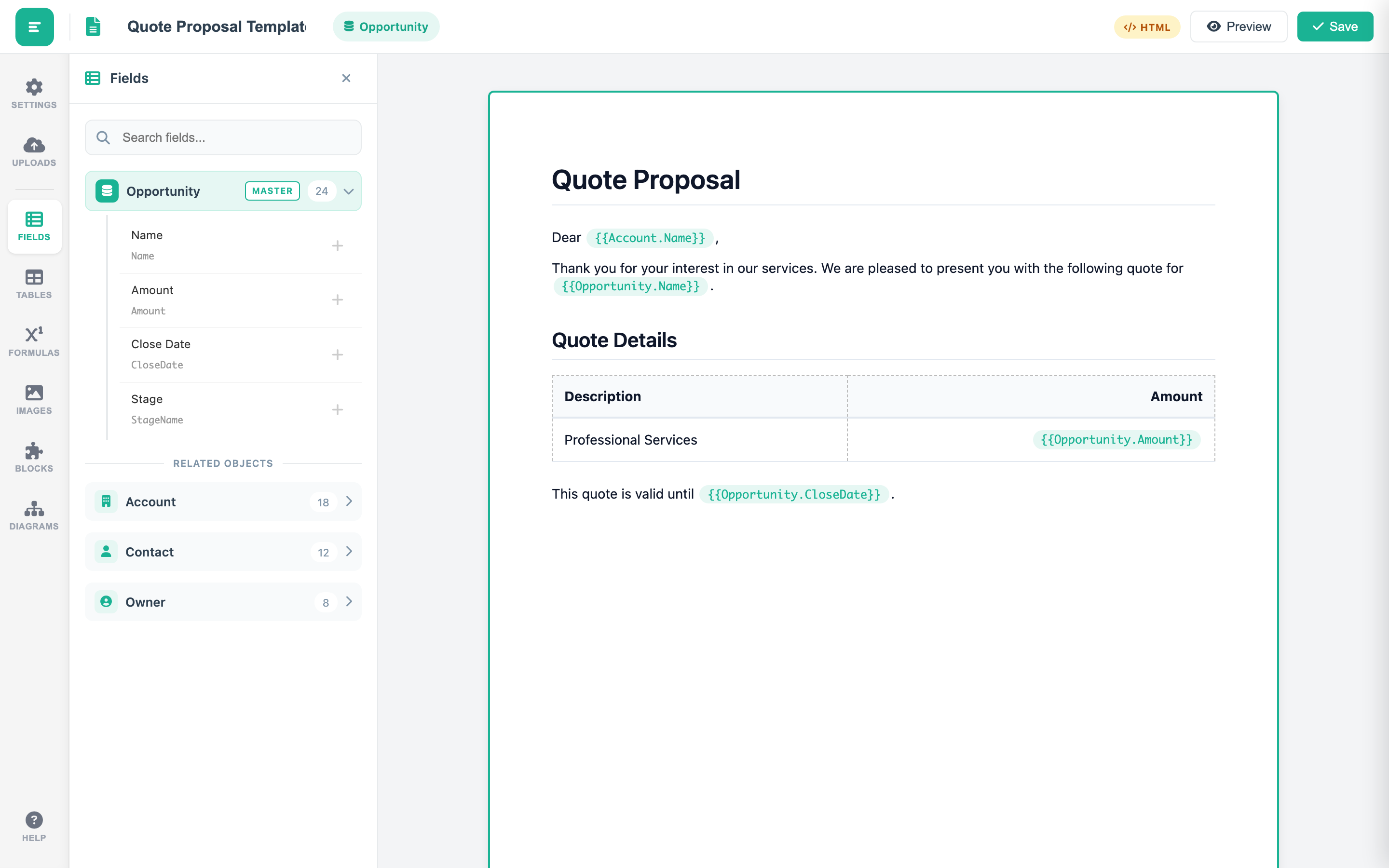
Merge Fields & Field Hierarchy
Navigate the full Salesforce object model from a clean sidebar panel. The multi-level field hierarchy lets you traverse nested lookup relationships — from Account to Contact to Opportunity and beyond. Insert fields from any object with a single click. The context-aware insertion engine automatically detects whether you are inside a formula or a merge field block, ensuring the correct syntax is applied every time.
Formula Engine
Over 40 functions across 7 categories give your templates the intelligence they need. Date and time functions calculate deadlines and format timestamps. Current User and Organization functions personalize every document. Role and Profile functions enable dynamic content routing. Logical operators (IF, AND, OR) drive conditional sections. Text functions (UPPER, LOWER, TRIM) clean data on the fly. Math functions (ABS, ROUND) handle precise calculations. Choose between expression-type and template-function-type formulas depending on your use case.
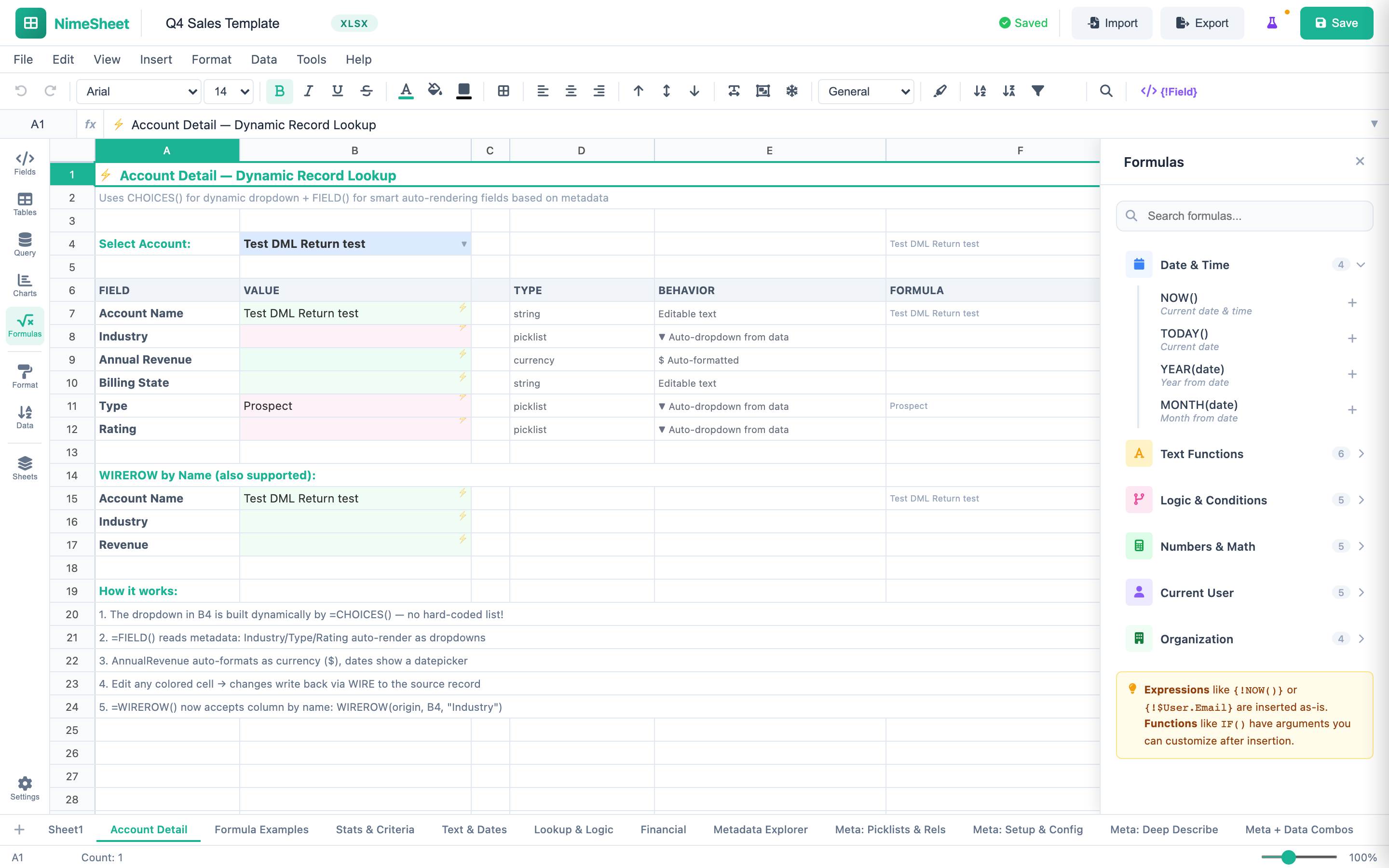
Professional Tables
Ten built-in table styles let you present data with precision and polish. Choose from Modern Minimal for clean reports, Executive Report for boardroom documents, Striped Professional for readability, Bordered Classic for formal contracts, NIME Premium for branded deliverables, Invoice Style for billing, Salesforce Lightning for org-native aesthetics, Compact Dense for data-heavy layouts, Double Band for visual separation, or Gold Accent for premium proposals. Configure parent and child tables with field-level control over columns, sorting, and aggregation.
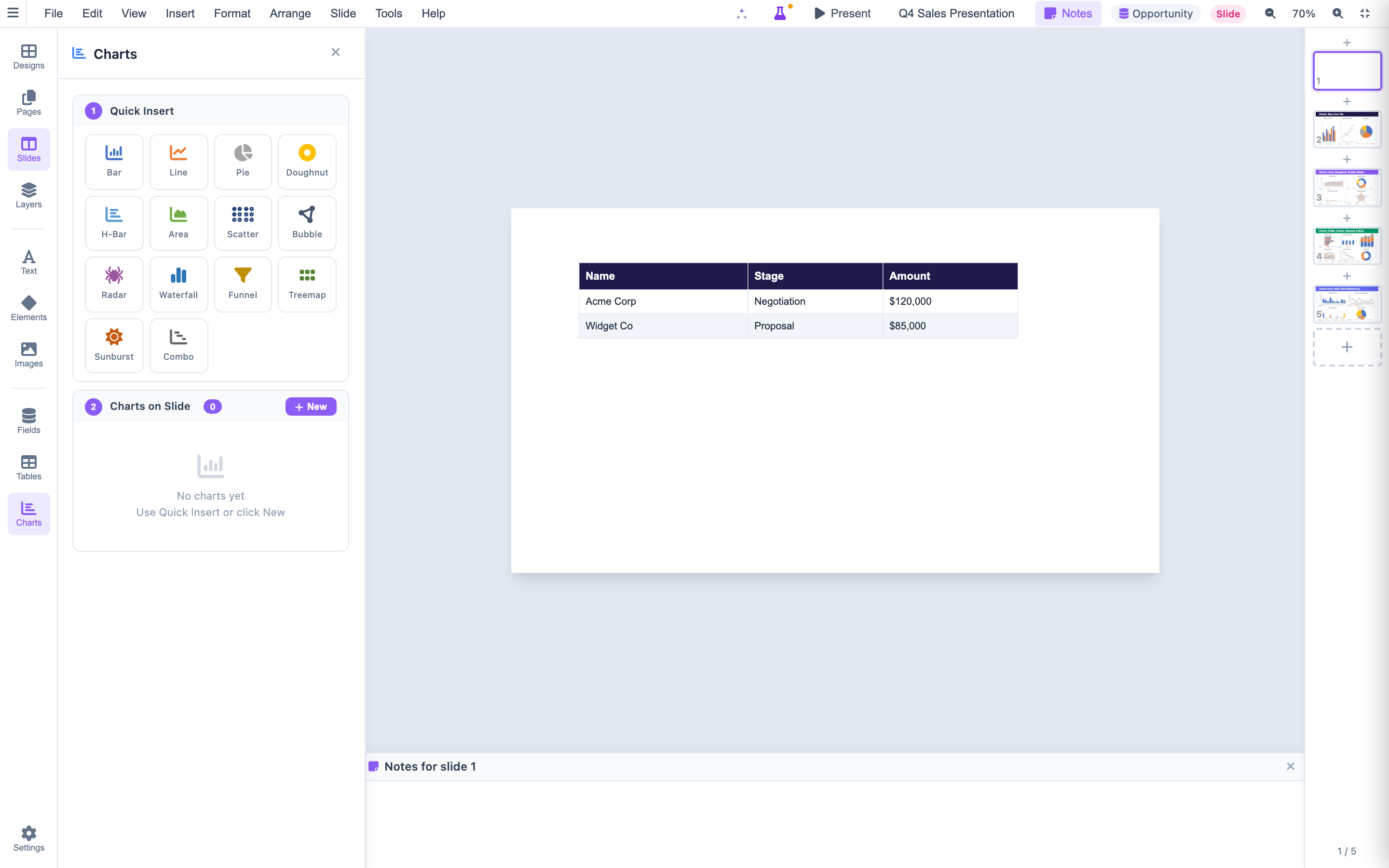
Charts & Visualization
Embed six chart types directly into your templates: Bar, Line, Pie, Doughnut, Horizontal Bar, and Radar. Each chart supports dual data sources — pull live data from Salesforce queries or define static datasets for benchmarks and targets. Apply aggregation functions including sum, count, average, min, and max. For PDF export, charts render through QuickChart.io to ensure pixel-perfect output in every format.
Everything else your templates need.
Built-in capabilities that make template design fast, reliable, and flexible.
Lazy-Loaded Panels
Every sidebar panel loads on-demand, not at page load. The editor is interactive in under one second, even on complex templates with dozens of fields and formulas.
Autosave & Versioning
A 3-second debounce autosave captures every change. UTF-8 safe encoding ensures international characters render correctly. Deep clone protection prevents reference leaks.
Multi-Format Templates
Choose HTML-based templates for rich document design or file-based mode for DOCX and PPTX templates. Both modes share the same merge field engine and formula system.
Multi-Page Support
Configure A4 or Letter page sizes with portrait or landscape orientation. Page breaks are managed automatically, and you can insert manual breaks wherever you need them.
Context-Aware Insertion
The editor intelligently detects whether your cursor is inside a formula block or a merge field zone. It applies the correct syntax automatically so you never have to think about delimiters.
Slash Commands
Type / to open the command palette for quick actions. Type @ to insert formulas inline. Powered by custom TinyMCE plugins built specifically for NimeDocs.
Related Objects & Data Sources
Add related Salesforce objects with one click. Configure child tables with field-level control over columns, sorting, and aggregation. Prevent duplicates, set custom aliases, and traverse multi-level relationships.
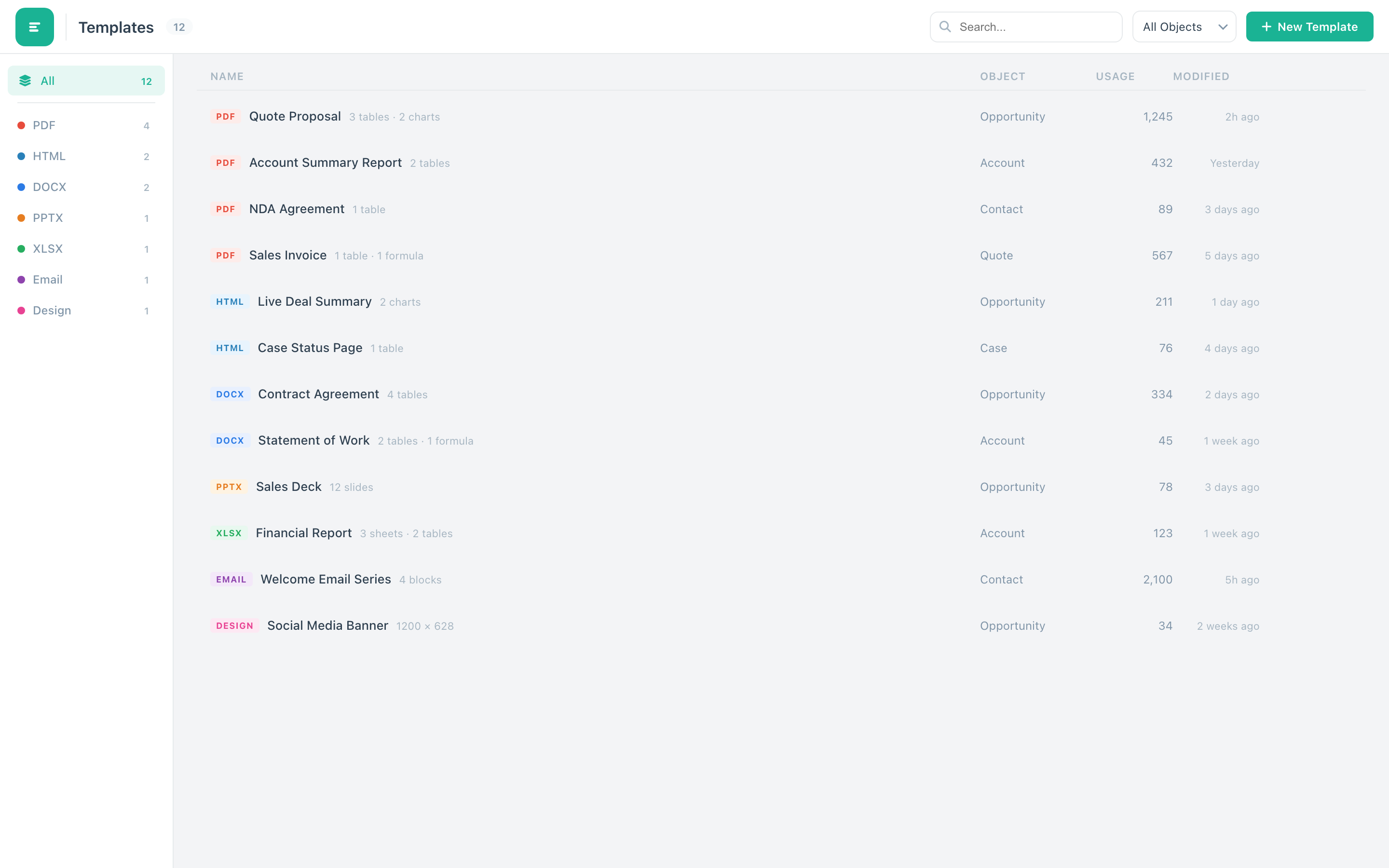
Diagrams & Visual Content
Insert visual elements beyond text — blocks, elements, and diagrams directly in your template. The sidebar provides dedicated panels for images, blocks, elements, and diagrams to enrich your documents.
Start designing templates in minutes.
No coding. No configuration. Just open the editor and start building. Your first document is one click away.