Spreadsheets that merge live Salesforce data.
A full-featured grid editor built for template creation. Build invoices, financial reports, and data-driven documents with formulas, formatting, and direct Salesforce integration.
Formula Engine
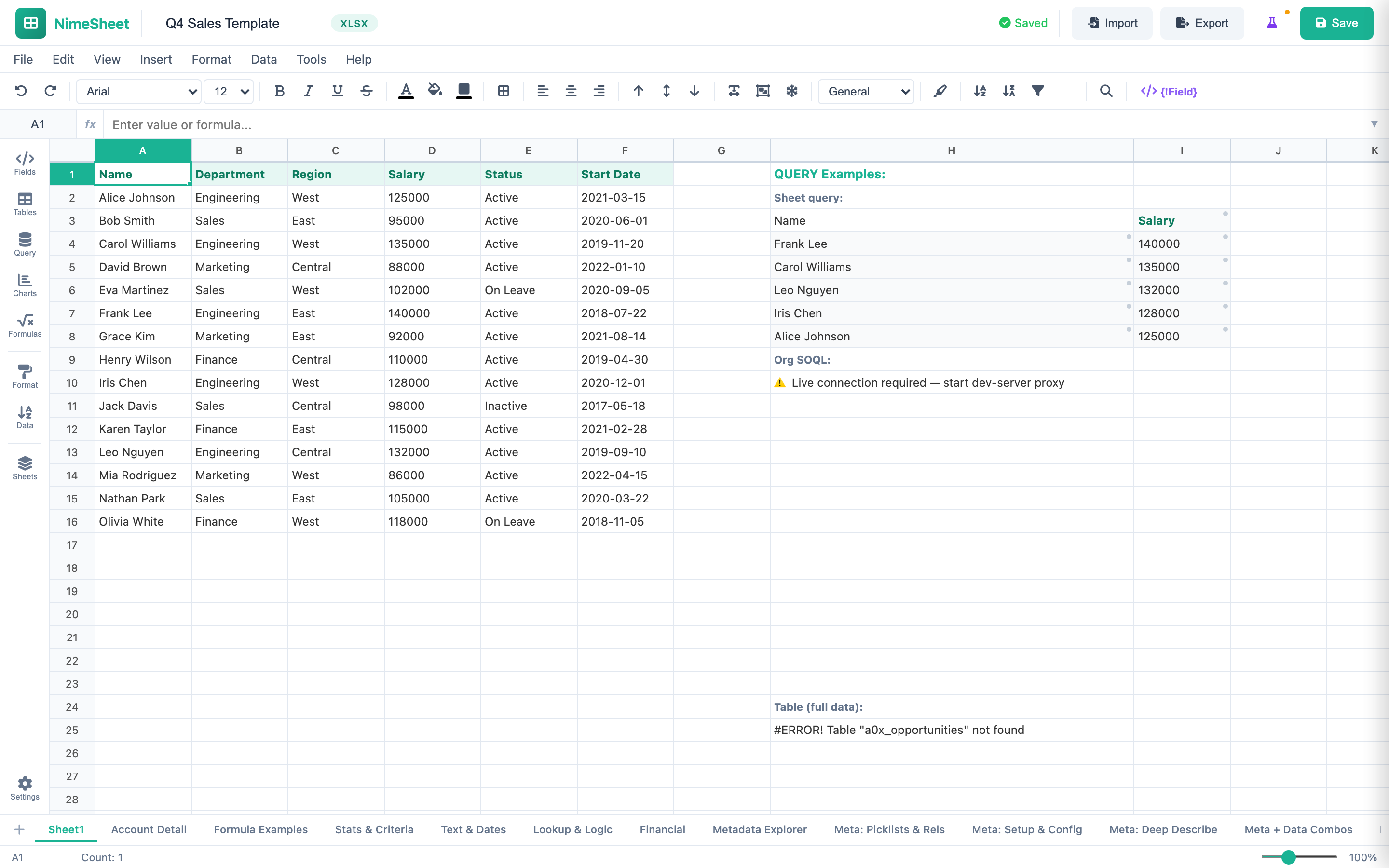
Over 40 spreadsheet functions give NimeSheet the power of a desktop application inside your browser. SUM, VLOOKUP, IF, SWITCH, AVERAGE, COUNT, CONCATENATE, LEFT, RIGHT, MID, ROUND, ABS, MAX, MIN, and dozens more. Google Sheets-style autocomplete shows function signatures as you type, with parameter hints and return type documentation. Cell references update automatically when you insert or delete rows and columns.
Salesforce Query Integration
Connect your spreadsheet directly to Salesforce data. Execute SOQL queries from the grid to pull records, related objects, and metadata into your cells. Use the Metadata Explorer panel to browse object fields, picklist values, and relationship paths without leaving the editor. Your templates stay connected to live data so generated documents always reflect the latest information in your org.
Professional Formatting
Format cells with the precision you expect from a desktop spreadsheet. Conditional formatting highlights values based on rules you define. Cell validation ensures data integrity with dropdown lists, number ranges, and custom formulas. Number formats cover General, Currency, Percentage, and Date. The floating contextual toolbar appears right where you need it — not as a permanent bar consuming screen real estate — giving you maximum grid visibility at all times.
AI Panel
The built-in AI assistant understands your spreadsheet context and helps you work faster. Ask it to build complex formulas — describe what you need in plain language and it generates the correct syntax. Use it for data analysis to surface trends, outliers, and summaries. Get template suggestions based on your data structure. The AI panel sits in the sidebar and works alongside your existing workflow without breaking your concentration.
Built for serious spreadsheet work.
Every feature a power user expects, designed for the Salesforce ecosystem.
Multi-Sheet Support
Create multiple sheets per workbook with tab navigation. Each sheet maintains its own cell data, formatting, and formula context. Switch between sheets instantly.
Freeze Panes
Lock header rows and columns in place while scrolling through large datasets. Essential for financial reports, inventory lists, and any template with hundreds of rows.
100-State Undo/Redo
Never lose work with a deep history stack of 100 undo states. Every cell edit, format change, and structural modification is tracked and fully reversible.
XLSX & HTML Export
Export your spreadsheet with full formatting preserved. Cell styles, merged cells, number formats, and conditional formatting all carry over to the XLSX and HTML output.
Record Tables
Insert Salesforce record data as structured tables directly into your grid. Define columns, map fields, and let the merge engine populate rows from related records.
Metadata Explorer
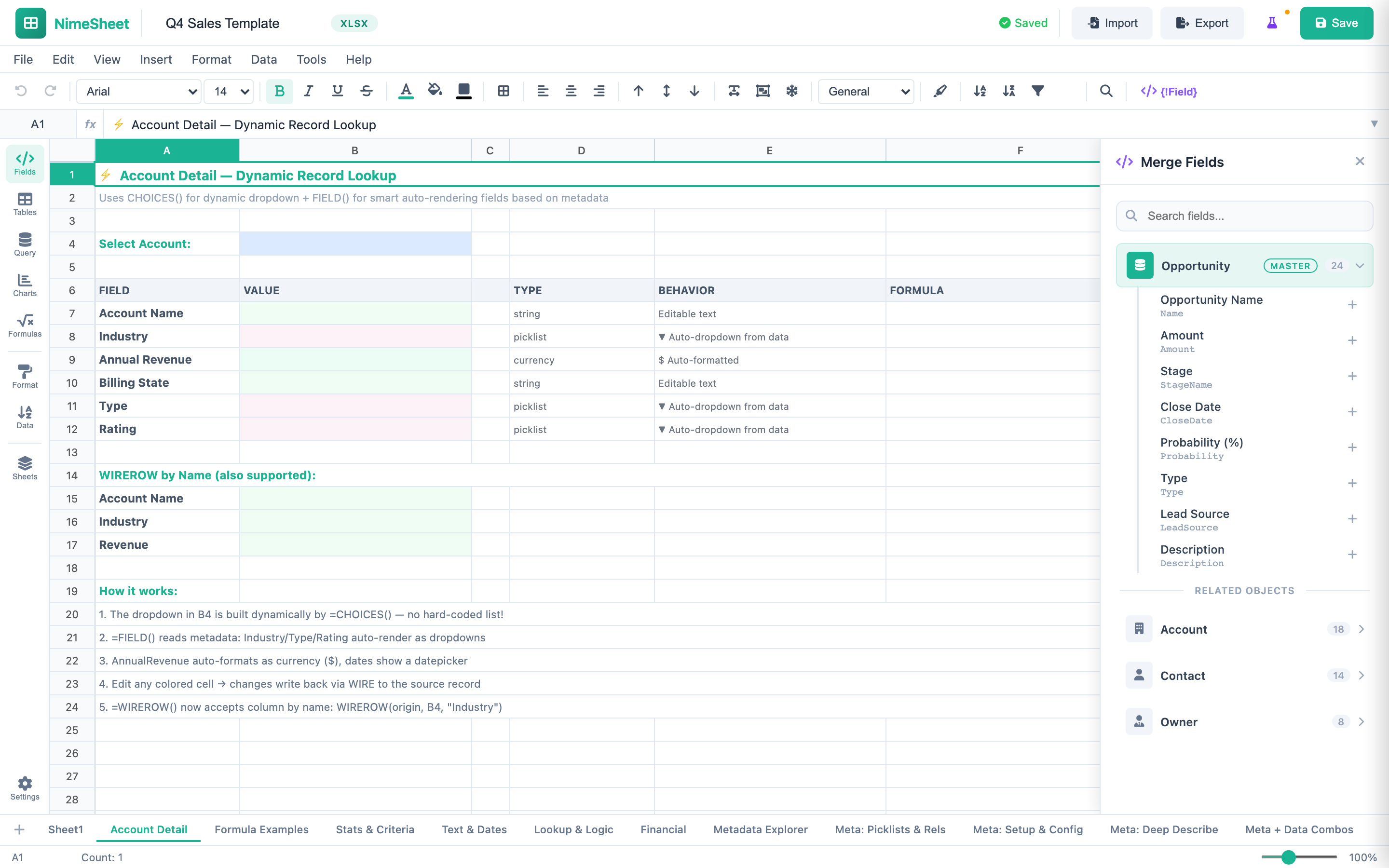
Browse object fields, picklist values, and relationship paths from a dedicated panel. Discover available data without switching to Salesforce Setup or a schema tool.
DML Operations
Create, update, and delete Salesforce records directly from the spreadsheet using the DML panel. Changes execute through the DMLService.
Conditional Formatting
Apply color rules based on cell values, formulas, or data ranges. Highlight exceptions, thresholds, and trends automatically.
Query Builder & Record Integration
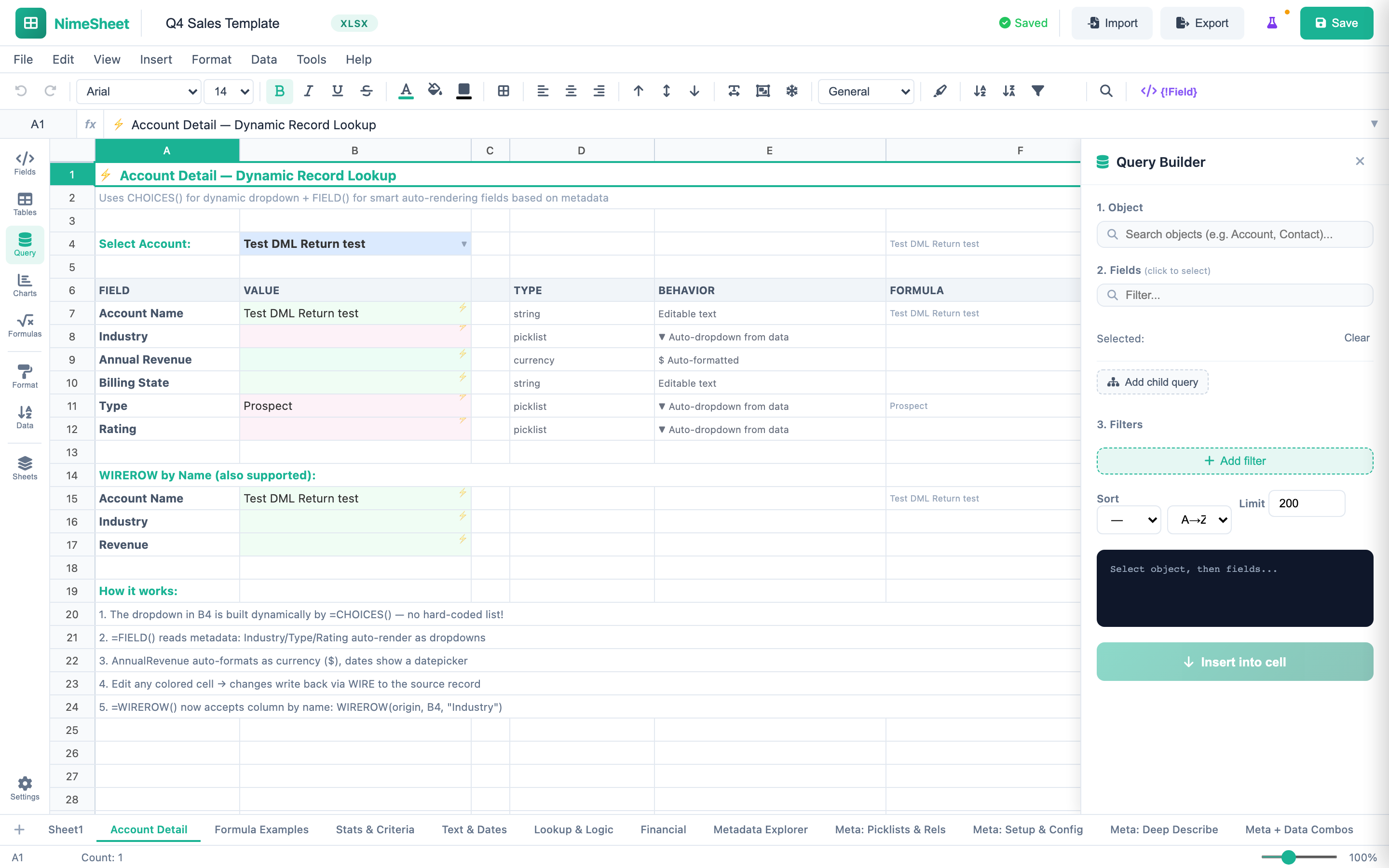
Pull Salesforce data directly into your spreadsheet with the visual Query Builder. Search objects, select fields, add filters, set sort order, and insert results into cells. SOQL queries execute live against your org.
Dynamic Record Lookup with WIREROW
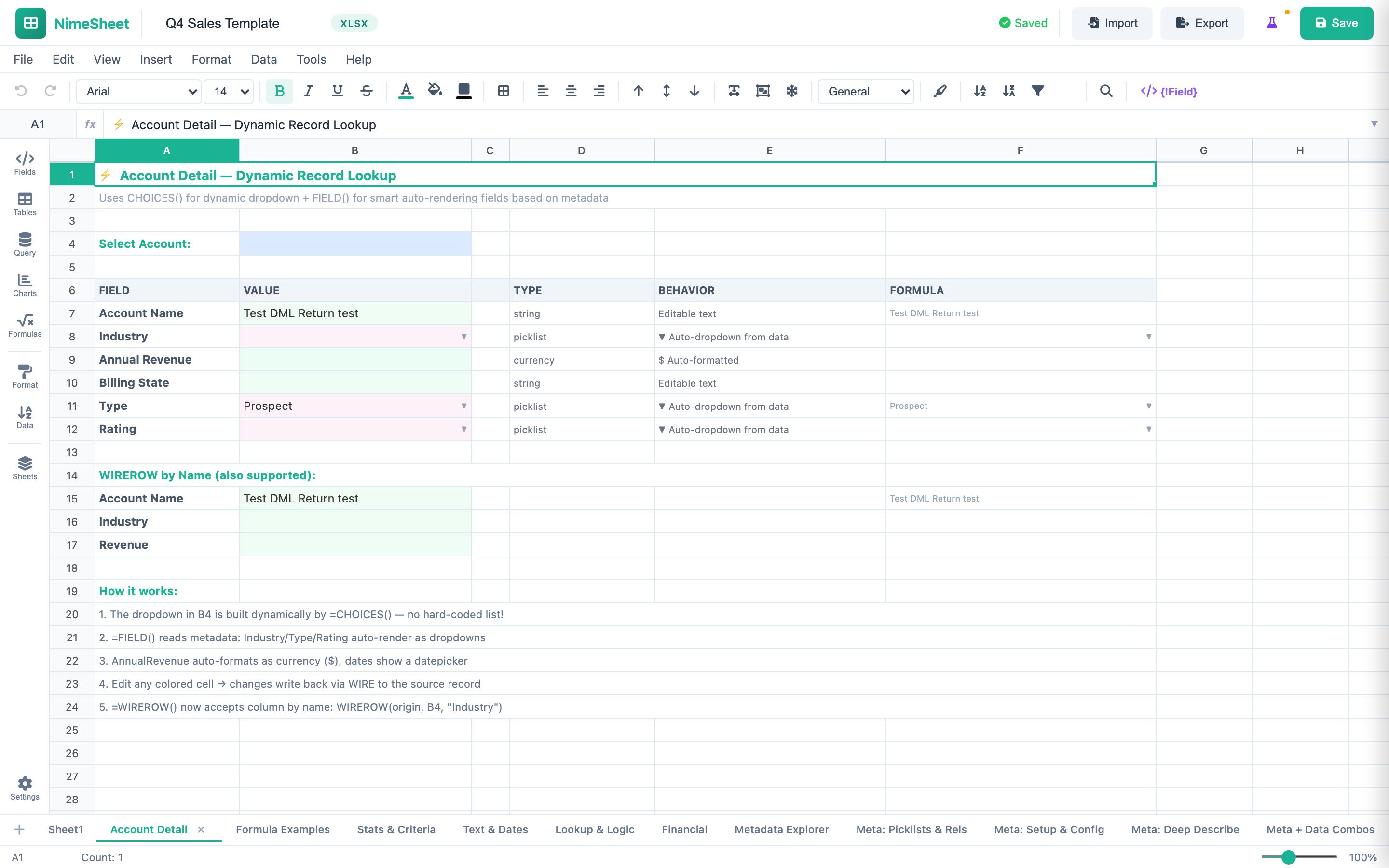
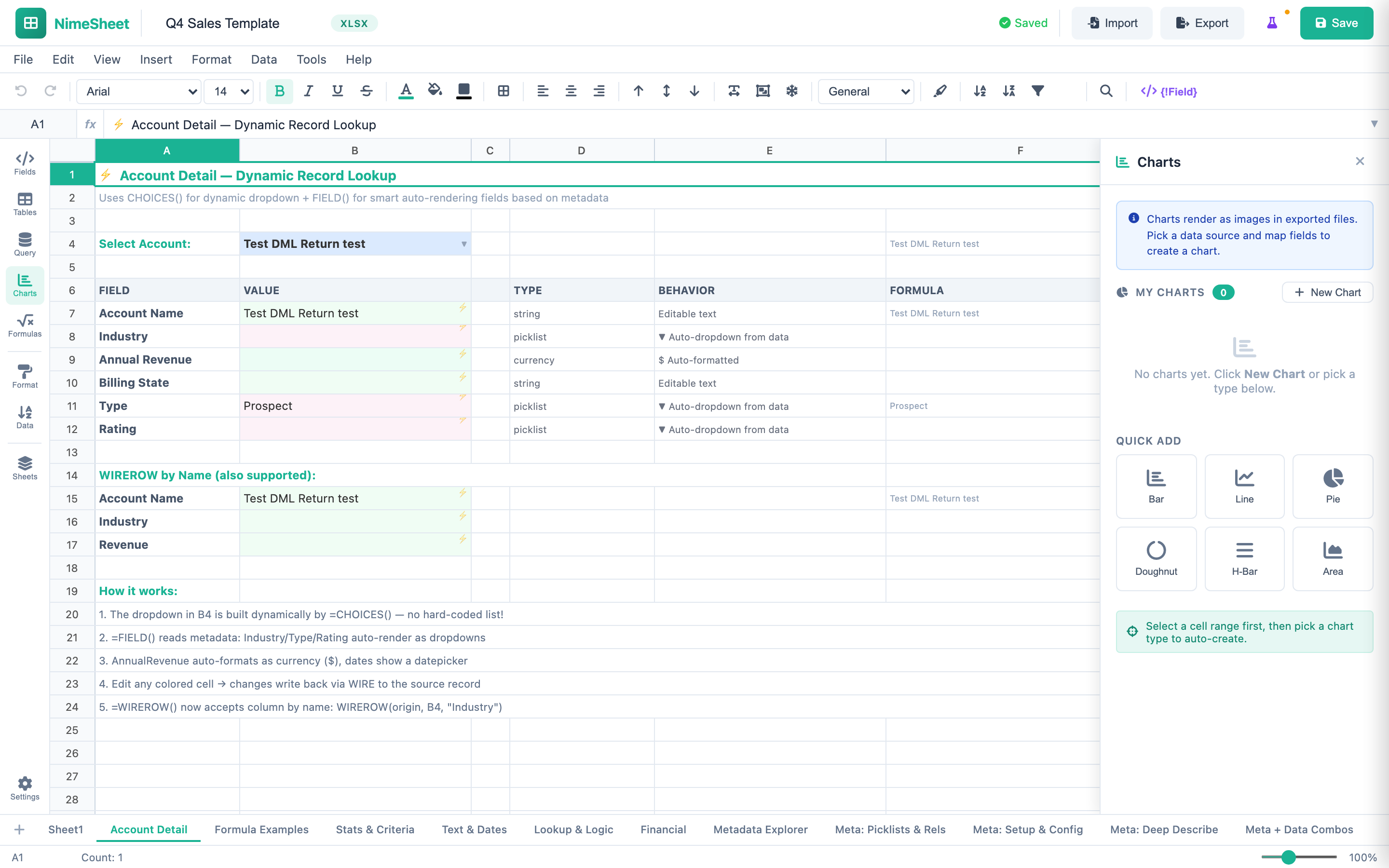
The Account Detail pattern uses CHOICES() for dynamic dropdowns and FIELD() for smart auto-rendering fields based on metadata. Industry, Type, and Rating auto-render as picklist dropdowns. AnnualRevenue auto-formats as currency. Changes write back via WIRE to the source record.
13 Chart Types for Data Visualization
Embed rich charts directly in your spreadsheets. Choose from Bar, Line, Pie, Doughnut, Horizontal Bar, Area, Scatter, Bubble, Radar, Waterfall, Funnel, Treemap, Sunburst, or Combo charts. Map data from cell ranges or Salesforce queries.
Metadata Explorer & Deep Describe
Browse your org's metadata from within the spreadsheet. Explore objects, fields, picklist values, relationships, and field-level permissions. The Deep Describe panel provides detailed schema information for any object.
Build your first spreadsheet template today.
No plugins. No desktop software. A full spreadsheet editor running natively in Salesforce — ready in minutes.