Workflows that run themselves.
Build multi-step document automation processes with a visual designer. Generate documents, make API calls, post to Chatter, branch on conditions, and monitor everything in real time.
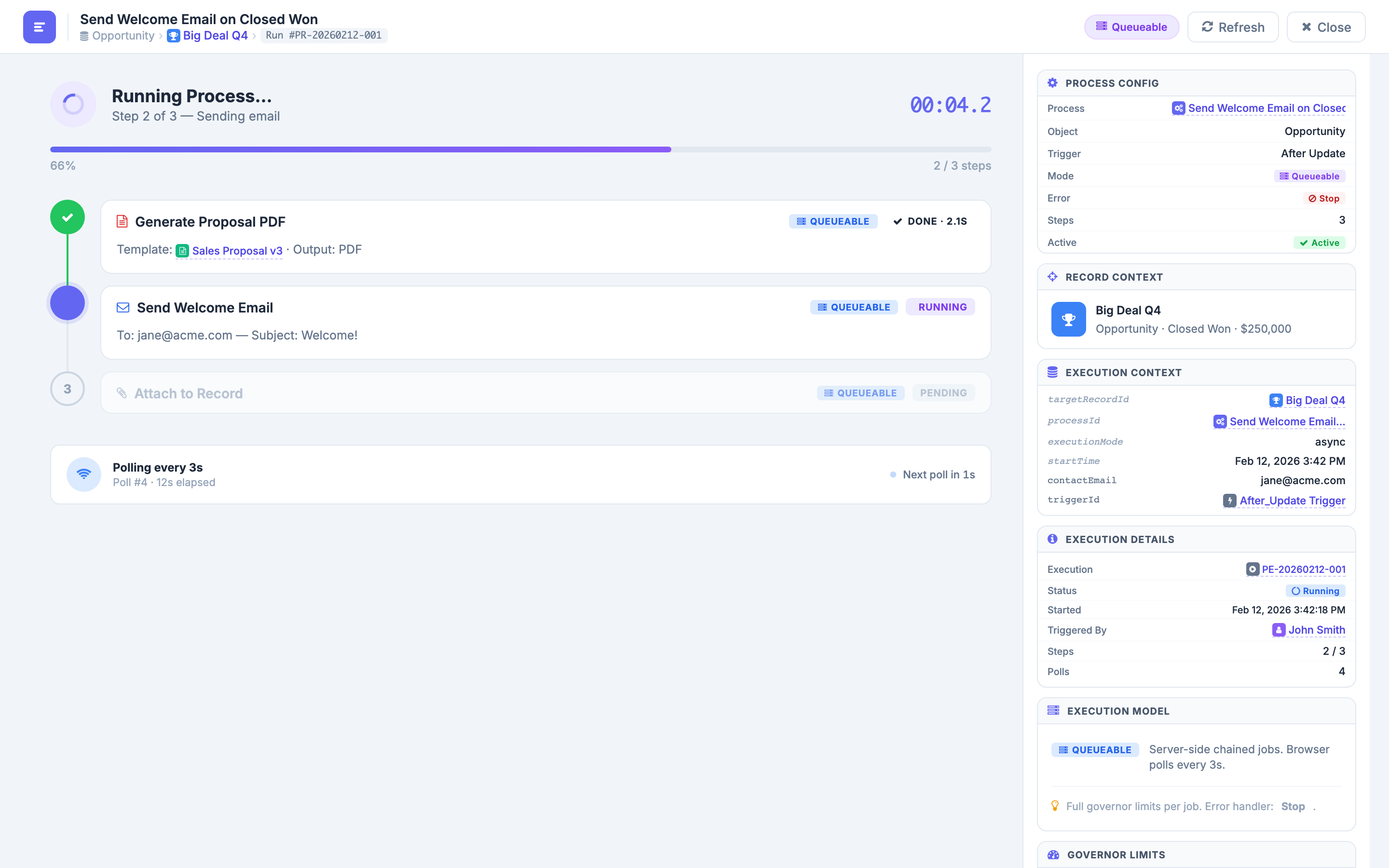
Visual Process Designer
Build automation workflows with a drag-and-drop visual interface. Add steps for document generation, HTTP callouts to external systems, Chatter posts for team notifications, file attachments to Salesforce records, and conditional logic branches that route the workflow based on data. Each step is configured through a clean properties panel — no code, no YAML, no JSON. See the entire workflow at a glance and know exactly what happens at every stage.
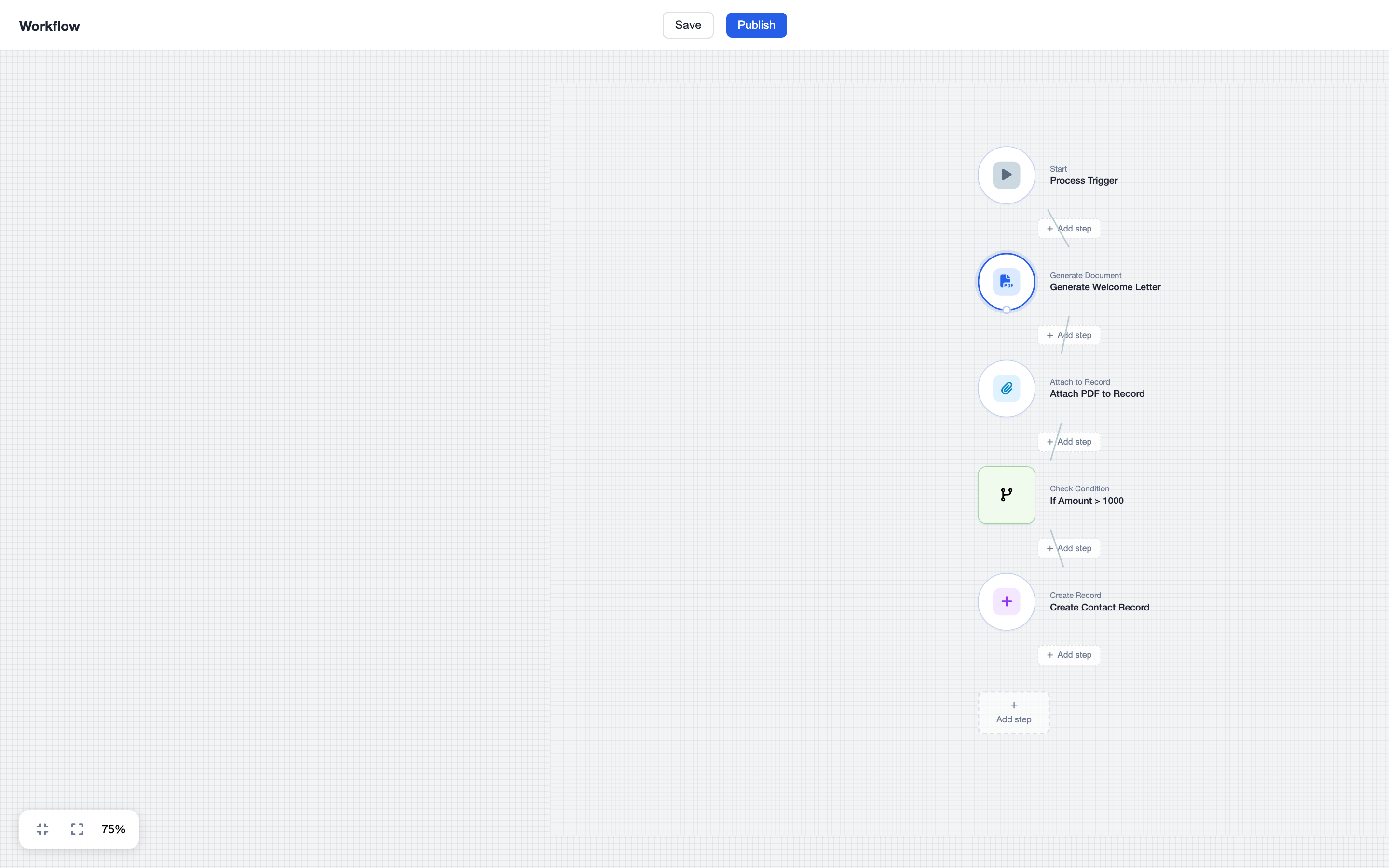
Real-Time Execution Monitor
Watch your workflows execute in real time. A live timeline shows each step as it progresses — from queued to running to done. Timer displays track total elapsed time and individual step durations. Status badges indicate the execution phase (Queueable, Running, Done, Error). The record context panel shows which Salesforce record triggered the process and all execution details including input parameters, output values, and any errors encountered along the way.
Conditional Logic
Add IF/ELSE branching to your workflows based on any Salesforce field value. Route processes based on opportunity amount, deal stage, record type, account region, or any custom field. When the condition evaluates to true, the workflow follows one path; when false, it takes another. Nest conditions for complex business rules. Combine with the visual designer to create workflows that handle every scenario your team encounters — from fast-track approvals to multi-department routing.
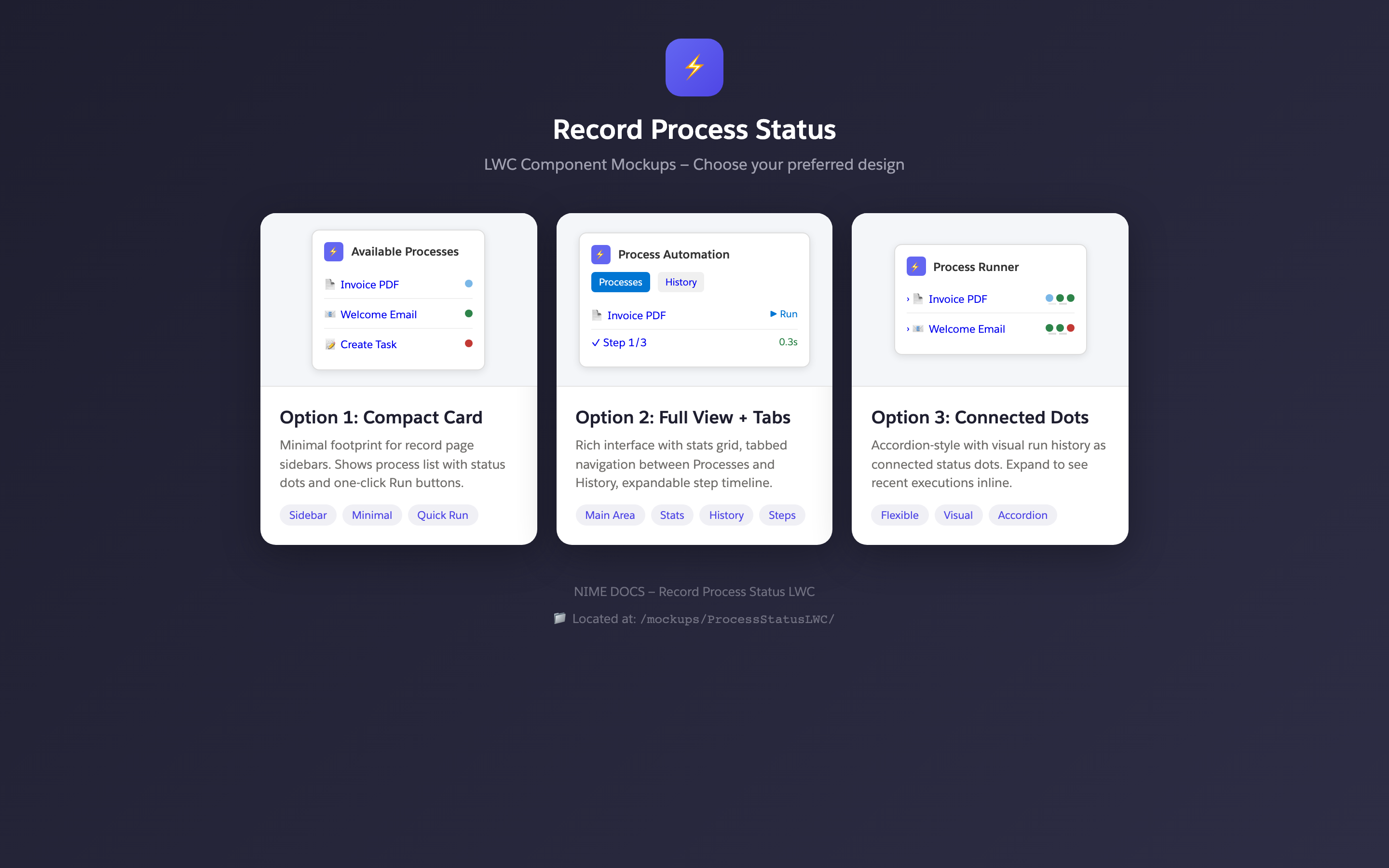
Process Status LWC
Embed execution status directly on any Salesforce record page with a Lightning Web Component. Choose from three design options to match your page layout: Compact Card shows a minimal status summary with progress indicator. Full View + Tabs provides detailed step information with tabbed navigation for execution history, logs, and output. Connected Dots accordion displays steps as a visual timeline with expandable detail sections. Drop the component onto any record page in App Builder.
Automation that handles the hard parts.
Enterprise-grade process execution with built-in resilience and observability.
Step Types
Generate documents, make HTTP callouts to external APIs, post to Chatter feeds, attach files to records, and insert conditional logic branches — all from the visual designer.
Auto-Resume
Interrupted workflows automatically resume where they left off. Governor limit timeouts, transient errors, and system restarts are handled gracefully — no manual intervention needed.
Polling Engine
Server-side chained Queueable jobs execute steps in sequence. The browser polls every 3 seconds for status updates, delivering real-time feedback without WebSocket complexity.
Governor Limits
Full governor limit awareness and error handling. Processes are designed to stay within Salesforce platform limits. When limits are approached, the engine pauses and resumes in a new context.
Trigger Types
Launch processes from After Insert, After Update, Manual button clicks, or Scheduled runs. Combine triggers for workflows that respond to record changes and run on a schedule.
Process Library
Manage, version, and publish reusable processes from a central library. Clone existing processes as starting points. Track which processes are active, draft, or archived.
Scheduling
Trigger processes on a schedule or in response to record changes. Support for After Insert, After Update, and manual triggers.
Notifications
Get notified on completion or failure via email or Chatter. Configure notification rules per process.
Rich Step Library
Build workflows from a library of pre-built step types. Each step handles a specific operation — from generating documents to making HTTP callouts to posting on Chatter. Combine steps into powerful multi-step automations.
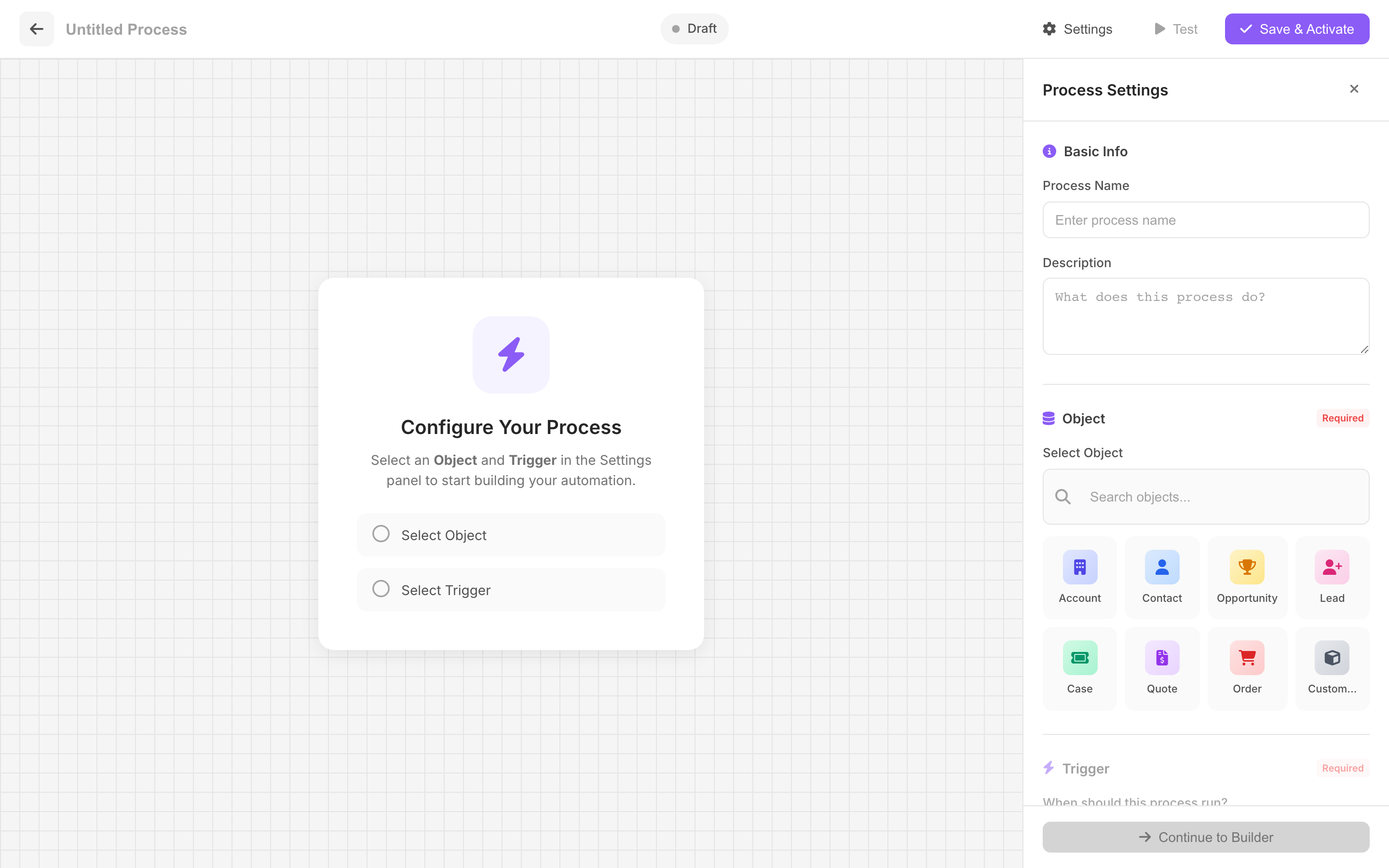
Execution History & Analytics
Every process execution is tracked with full detail. Browse past runs, see step-by-step timelines, identify failures, and monitor performance. The Process Status LWC embeds execution info directly on record pages.
Automate your document workflows today.
Build your first process in minutes. No code, no complexity. Just drag, drop, and deploy.