Every deliverable, on-brand and on time.
Generate engagement letters, SOWs, client reports, and project status updates from Salesforce -- with governed templates, version-controlled output, and utilization dashboards built from live data.
The hidden cost of inconsistent deliverables
Your consultants are billing $300/hour. How many of those hours go to formatting documents?
Two hundred consultants producing client deliverables means two hundred variations of formatting, structure, and quality. SOWs use different terms. Status reports have different layouts. The client experience depends entirely on which consultant they got assigned.
Senior consultants spend 15-20% of their week on document assembly -- hunting for the right template, copying data from Salesforce, formatting tables, rebuilding charts. At $300/hour, a 200-person firm burns over $3M per year on work that adds zero client value.
Templates live in shared drives, email threads, and local desktops. Someone updates the SOW template but forgets to tell the team. Three consultants use three different versions of the engagement letter. There is no single source of truth and no way to enforce compliance.
How NimeDocs transforms professional services delivery
Governed templates, automated generation, and data-driven deliverables across every engagement.
Centralize all engagement templates in Salesforce with ContentVersion-based version control. Eight document engines cover every output your firm needs: DocxDocEngine for SOWs, PptxDocEngine for client presentations, XlsxDocEngine for financial models, HtmlDocEngine for web reports, CsvDocEngine for data exports, and NimeSheetDocEngine for interactive spreadsheets. Role-based permissions control who can edit templates versus who can only generate from them.
Process automation triggers document generation when engagements are created, milestones are reached, or status changes occur. A new engagement record can automatically generate the welcome packet, engagement letter, and project plan -- then email them to the client, attach them to the record, and post a Chatter notification. Ten process step types handle the entire workflow with real-time per-step monitoring.
Build client-facing status reports with live Salesforce data using WIRE() and QUERY(). CHART() renders 14 chart types -- use Waterfall for budget tracking, Pie for resource allocation, Bar for milestone progress, and Combo charts for utilization trends. Output to PPTX for executive presentations, XLSX for detailed analysis, or PDF for formal deliverables.
Use cases for Professional Services
See how professional services firms use NimeDocs to standardize deliverables and recover billable hours.
Engagement Letters & SOWs
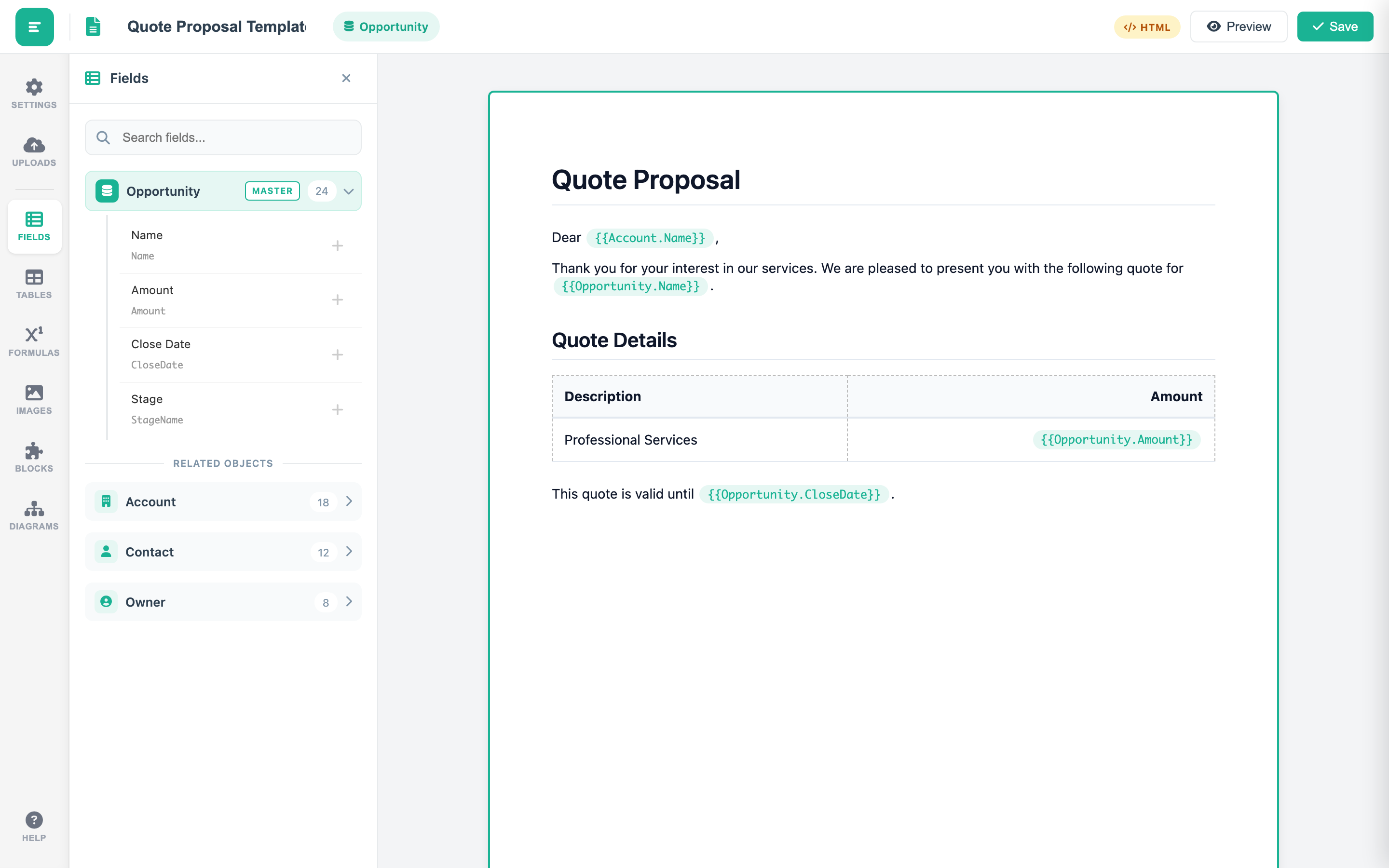
Generate engagement letters and statements of work from Salesforce Opportunity data -- with conditional sections that adapt to engagement type, styled tables for deliverables and pricing, and output to DOCX or PDF.
Utilization & Time Reports
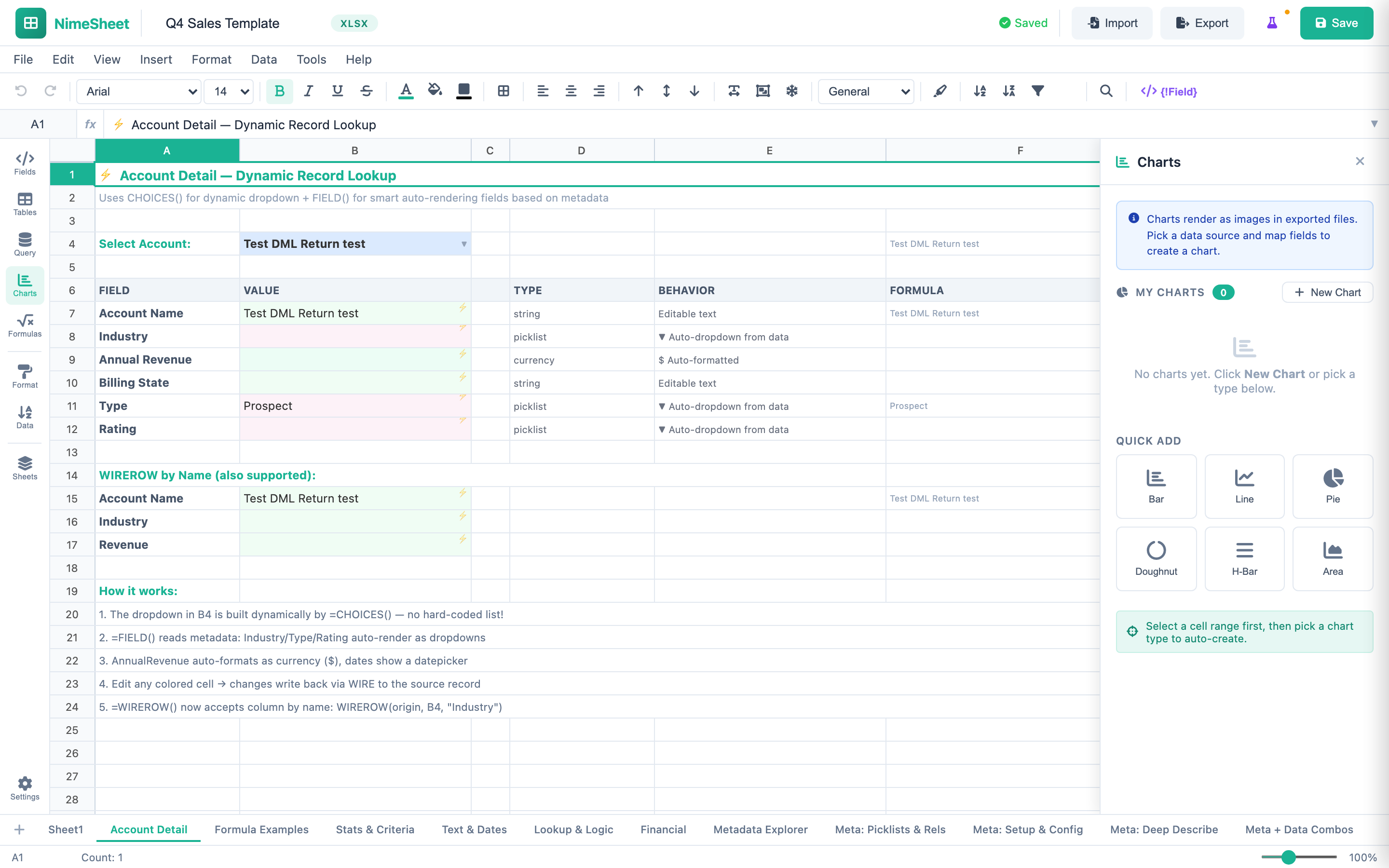
Build utilization dashboards and time tracking reports with NimeSheet -- using CHART() for visual breakdowns and QUERY() to pull project hours, resource allocation, and billing data from Salesforce.
Template Library Governance
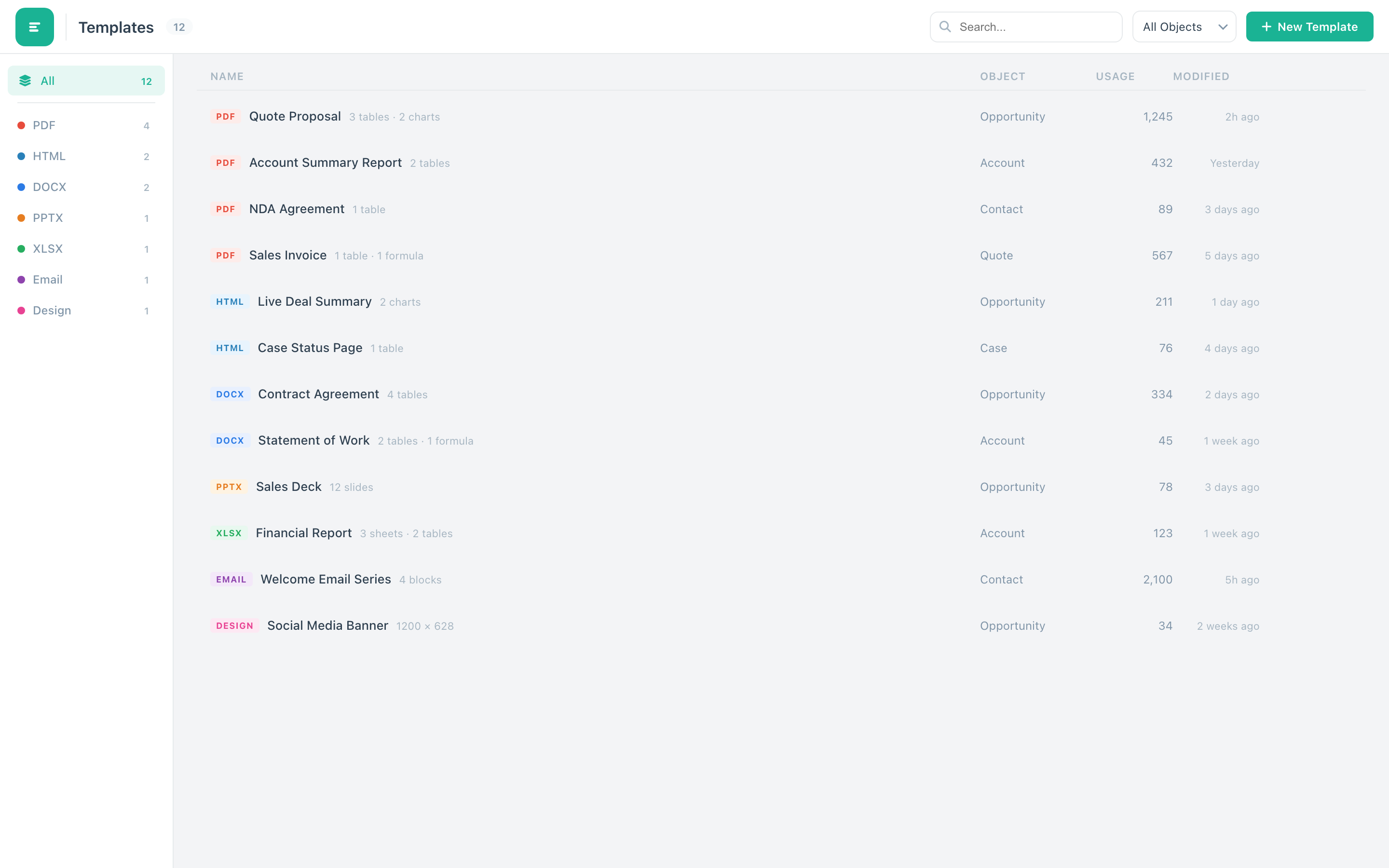
Centralize all firm templates in a governed Salesforce-native library with ContentVersion-based versioning, role-based permissions, and controlled access -- ensuring every consultant uses the latest approved templates.
What professional services firms achieve with NimeDocs
Eliminate manual template hunting, data copying, and formatting. Consultants generate polished deliverables in one click and spend reclaimed hours on billable client work. For a 200-person firm, that translates to thousands of recovered billable hours per quarter.
Governed templates with 10 table styles and locked formatting ensure every deliverable meets firm standards. It does not matter whether the document comes from a partner or a first-year analyst -- the client receives the same professional quality every time.
Process automation generates the full welcome packet the moment a new engagement record is created. GenerateDoc builds the documents, Email delivers them, AttachFile links them to the record, and Chatter notifies the project team. Six output formats -- DOCX, PPTX, XLSX, PDF, HTML, CSV -- cover every client preference.
Ready to standardize your client deliverables?
See how governed templates, process automation, and eight document engines transform your delivery operations. Apply for the pilot program today.