Patient data never leaves your Salesforce org.
Generate consent forms, patient communications, referral letters, compliance documents, and operational reports -- 100% Salesforce-native with conditional logic, role-based permissions, and a complete audit trail.
Document challenges unique to healthcare
When patient data is involved, the margin for error is zero -- and the consequences of a breach are severe.
Most document generation tools send data to external servers for processing. Every API call that moves patient information outside your Salesforce org creates a potential HIPAA violation, a breach surface, and a liability your compliance team has to evaluate and monitor continuously.
Consent forms, referral letters, discharge summaries, and patient communications -- thousands of documents per month across departments. Manual creation means staff spend hours on paperwork instead of patient care. Different departments use different templates with no standardization.
Regulators require proof of what was sent to whom, when, and what version. Manual document processes leave gaps in the audit trail. When a compliance audit arrives, your team scrambles to reconstruct a paper trail that should have been automatic.
How NimeDocs addresses healthcare document needs
Security-first document automation that your compliance team will approve on day one.
NimeDocs runs entirely as a Salesforce managed package. Document generation, template storage, and output delivery all happen within your org's security boundary. No external API calls. No middleware. No data transfer to third-party servers. Patient information stays exactly where your security policies require it to be.
Use IF() and CASE() formulas to generate the right content for each patient scenario. A single template can produce different consent language based on procedure type, include department-specific instructions based on referral source, or vary disclosure requirements based on state regulations. 80+ formula functions handle even complex conditional logic without needing separate templates for each variation.
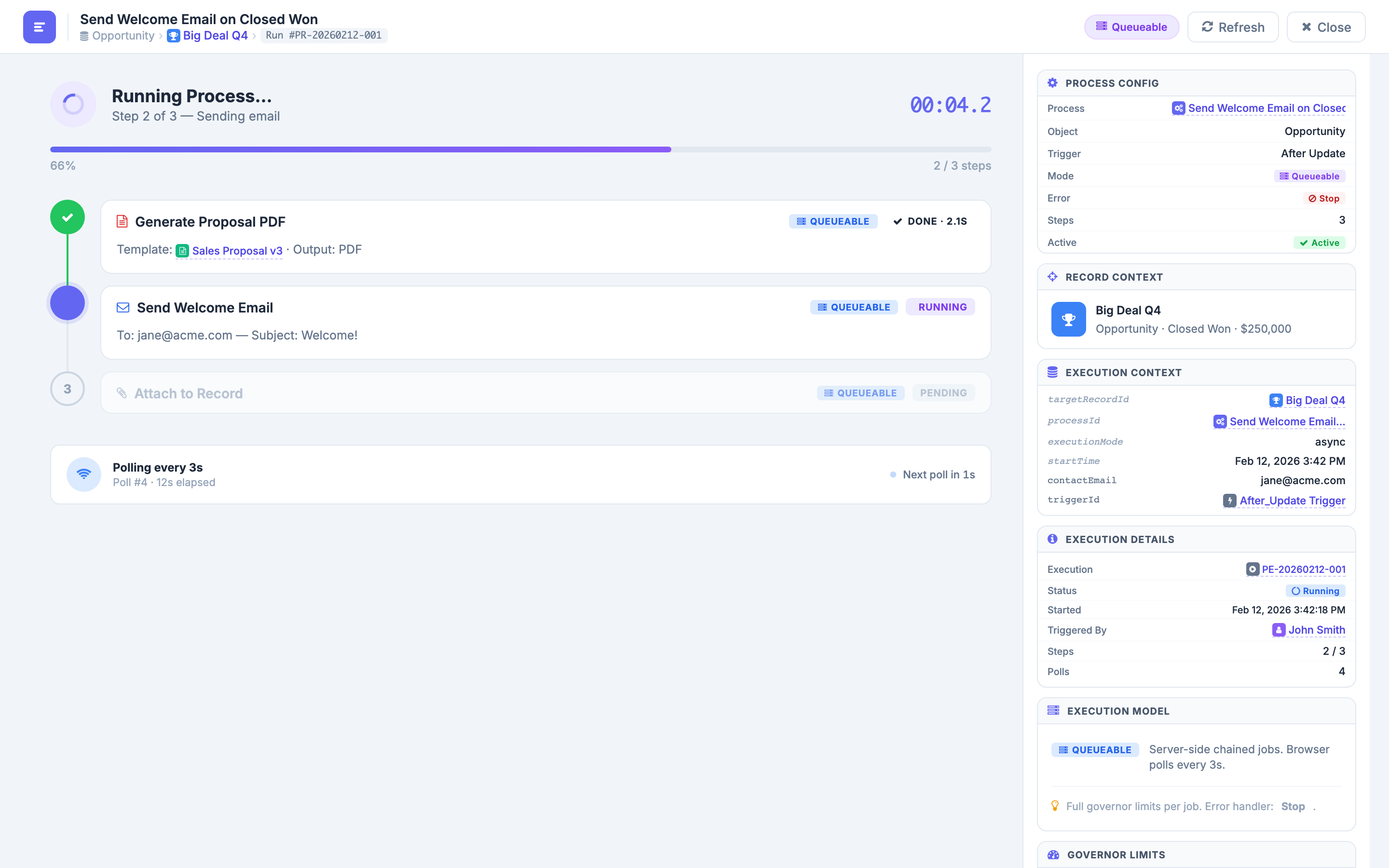
Process automation with Condition steps routes documents through the right workflow based on record data. A patient intake can trigger GenerateDoc for the consent form, a Condition step to check insurance type, Email to deliver the correct documents, and AttachFile to link everything to the patient record -- all with real-time per-step status monitoring and complete execution logging.
Use cases for Healthcare
See how healthcare organizations use NimeDocs to automate patient documents while maintaining full compliance.
Patient Consent Forms
Generate patient-specific consent forms using the template editor with IF/CASE conditional logic -- automatically including the correct consent language, procedure details, and disclosure requirements based on the patient record.
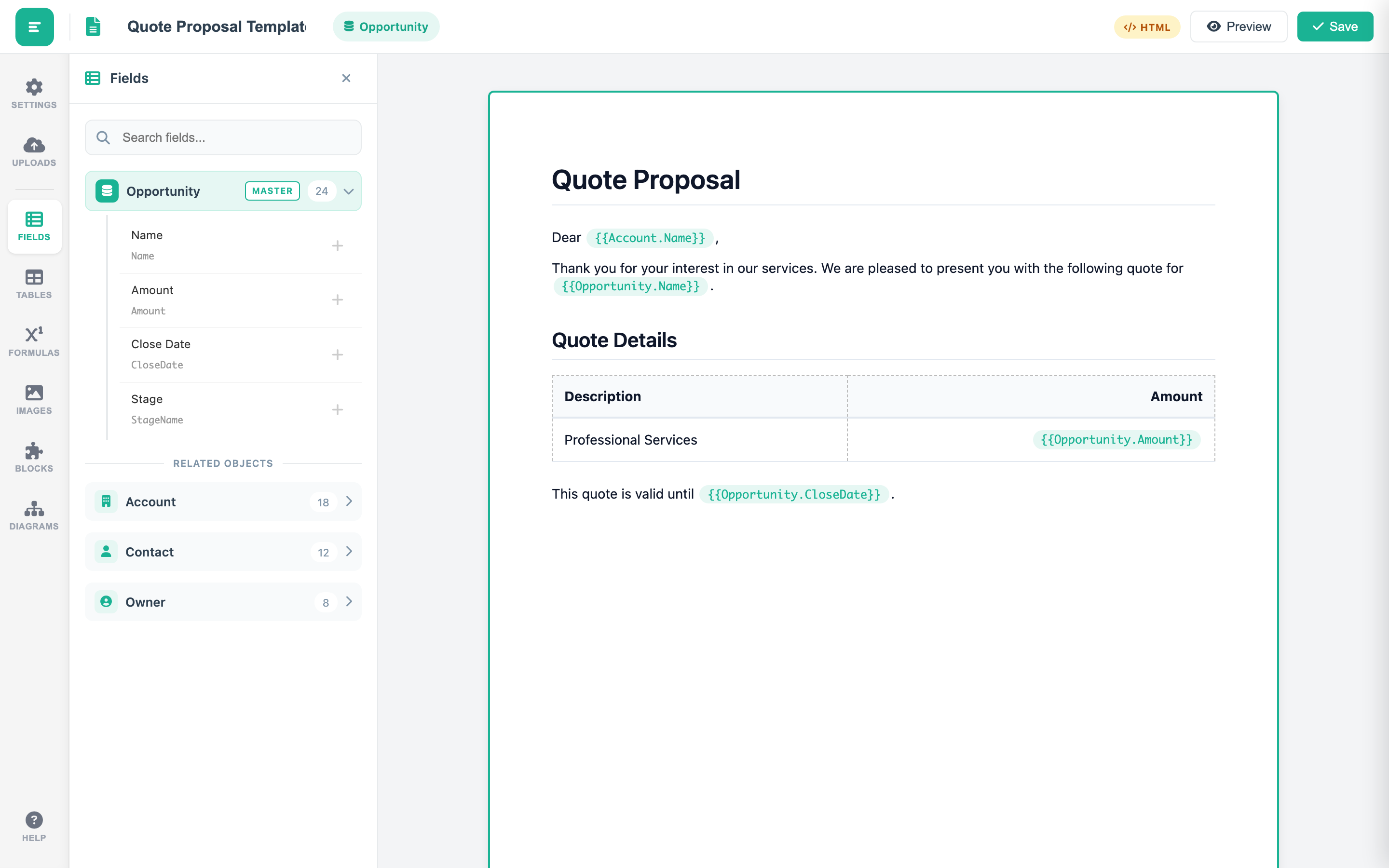
Referral Letter Automation
Automate referral letter generation and routing with process automation -- using Condition steps to route by specialty, generate the correct letter template, and deliver to the right provider with full audit logging.
Operational Compliance Reports
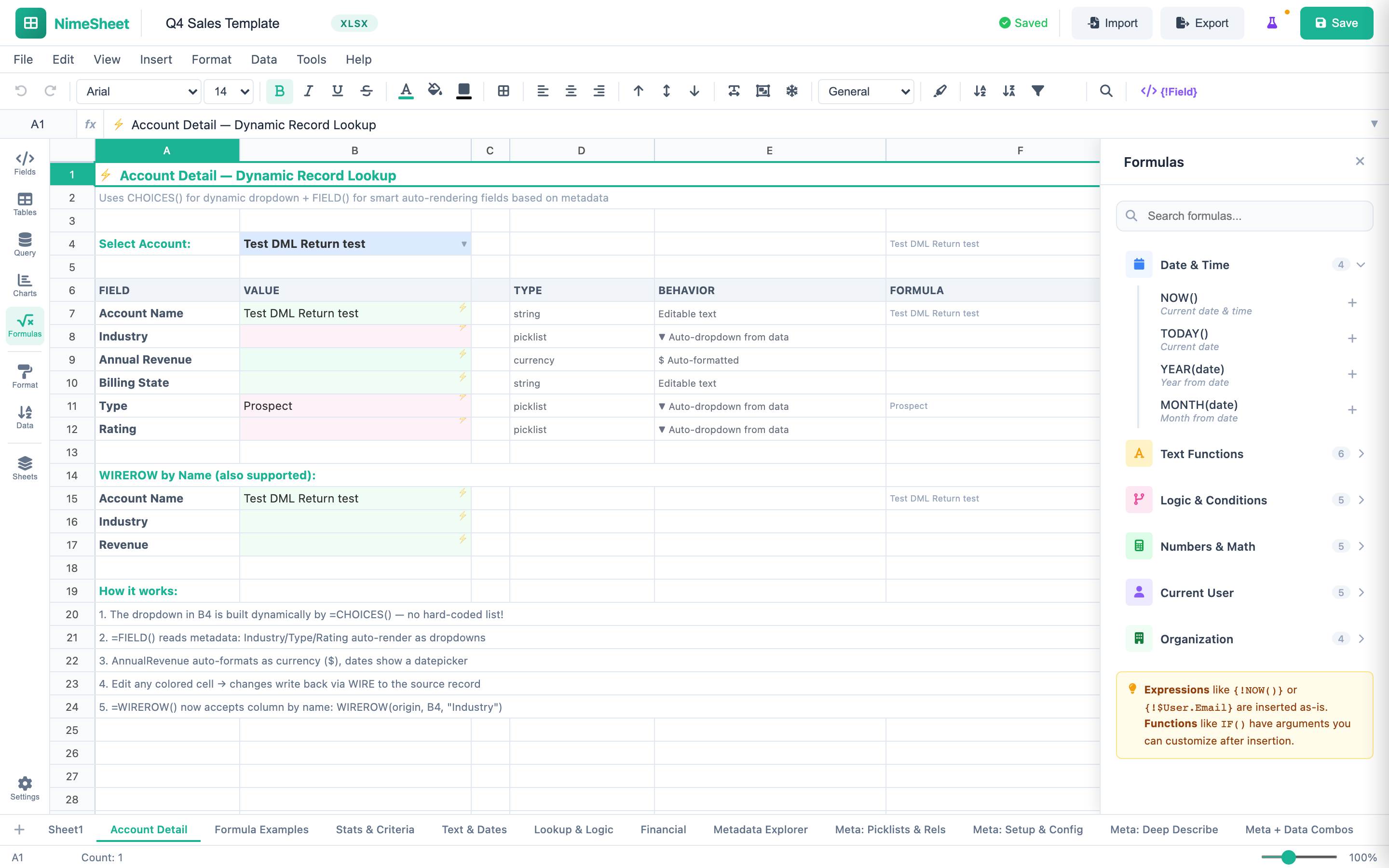
Build compliance and operational reports in NimeSheet with full audit trail support -- using formulas for data analysis, ContentVersion tracking for version history, and export to XLSX or PDF for regulatory submissions.
What healthcare organizations achieve with NimeDocs
No patient data leaves your Salesforce org -- ever. Role-based permissions inherited from Salesforce profiles and permission sets control who can create templates, generate documents, and access sensitive records. Your compliance team can verify this architecture in a single security review.
Every document is stored as a Salesforce ContentVersion -- with full version history, the source record it was generated from, the user who triggered it, and a precise timestamp. Process automation logs each step execution. When regulators audit, the trail is already there.
Process automation handles high-volume document generation on record events. Consent forms generated on appointment creation. Referral letters triggered on referral record save. Discharge documents produced on status change. Six output formats -- DOCX, PPTX, XLSX, PDF, HTML, CSV -- deliver documents in whatever format each workflow requires.
Ready to secure your healthcare document workflows?
See how 100% Salesforce-native document generation eliminates external data exposure. Apply for the pilot program today.