Financial reporting that runs itself.
Generate quarterly reports, compliance filings, client statements, and portfolio summaries from live Salesforce data -- with built-in financial formulas, 14 chart types, and a complete audit trail for every document.
The real cost of manual financial documents
Every quarter, financial services teams face the same painful cycle -- and the stakes keep getting higher.
Your team exports data from Salesforce, pastes it into Excel, builds charts in PowerPoint, formats everything by hand, then repeats it all when numbers change. Every quarter, the same multi-day process consumes your highest-paid analysts.
A transposed number in a regulatory filing. A stale figure in a client statement. Manual document assembly invites the kind of errors that trigger audits, damage client trust, and cost firms millions in penalties and remediation.
Critical financial data lives in dozens of disconnected spreadsheets -- each with its own formulas, formatting, and version. No single source of truth. No audit trail. No way to know which version is current when regulators come asking.
How NimeDocs solves financial document challenges
Purpose-built capabilities for teams that need accuracy, speed, and a defensible audit trail.
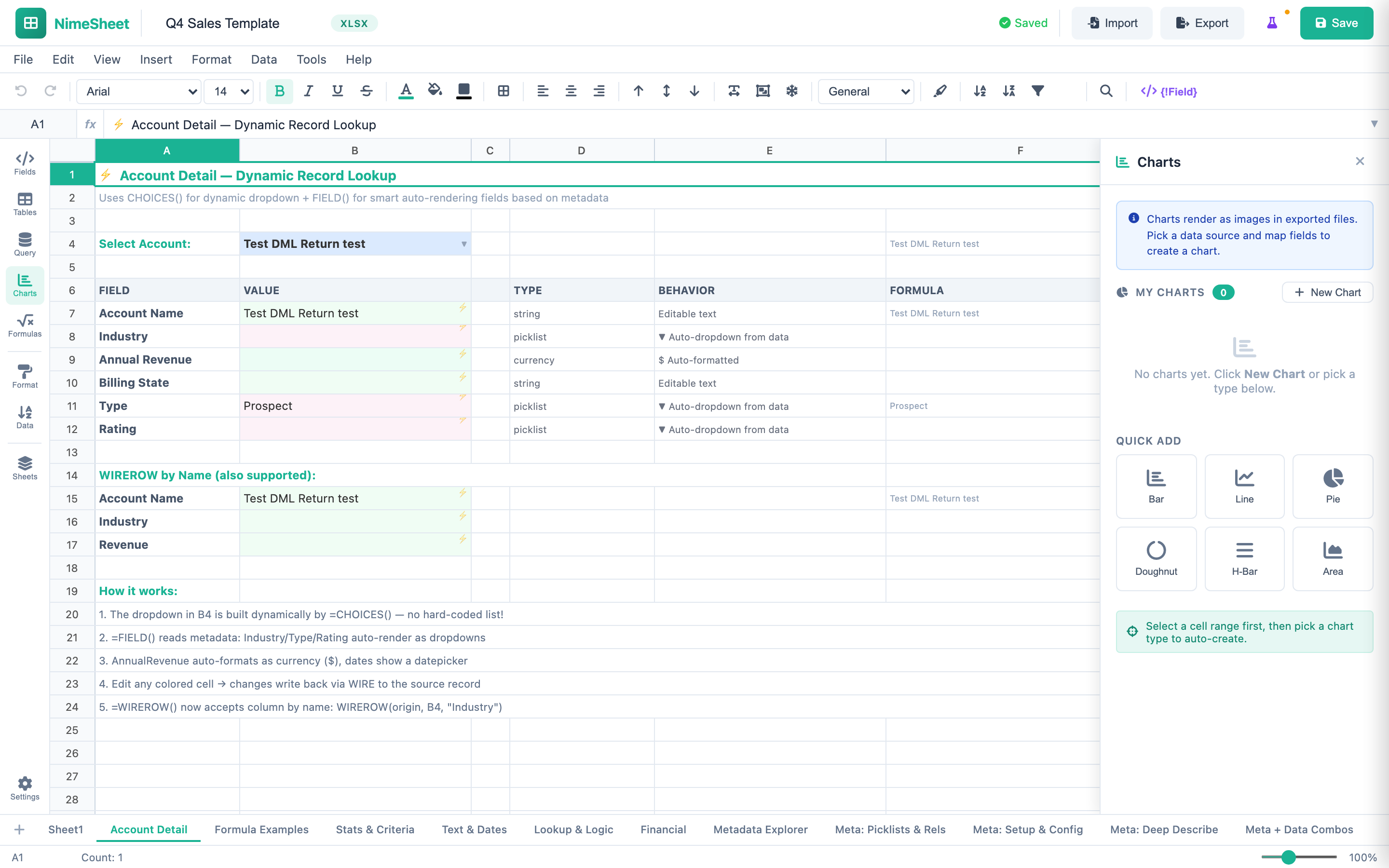
Build spreadsheet templates using 80+ formula functions -- including PMT, FV, PV, NPV, and IRR for financial modeling. Combine SUM, VLOOKUP, IF, and ROUND with live Salesforce data via QUERY() and WIRE(). Freeze panes, cell validation, comments, and multi-sheet workbooks give your analysts the full spreadsheet experience without leaving Salesforce.
Embed Bar, Line, Pie, Area, Waterfall, Treemap, Scatter, Bubble, and more directly in your reports. Use CHART() formulas to render live portfolio performance, asset allocation breakdowns, and trend analysis -- all populated from real-time Salesforce data. Export to PPTX for board presentations or XLSX for detailed analysis.
Every generated document is stored as a Salesforce ContentVersion with full version history, record association, and timestamp. Role-based permissions inherited from Salesforce control who can create templates, generate documents, and access sensitive financial data. 100% Salesforce-native -- zero data leaves your org.
Use cases for Financial Services
See how financial teams use NimeDocs to automate their most critical document workflows.
Quarterly Portfolio Reports
Build portfolio performance reports with live Salesforce data using NimeSheet, CHART() for visualizations, and QUERY() for real-time data pulls -- then export to XLSX or PDF in one click.
Client Account Statements
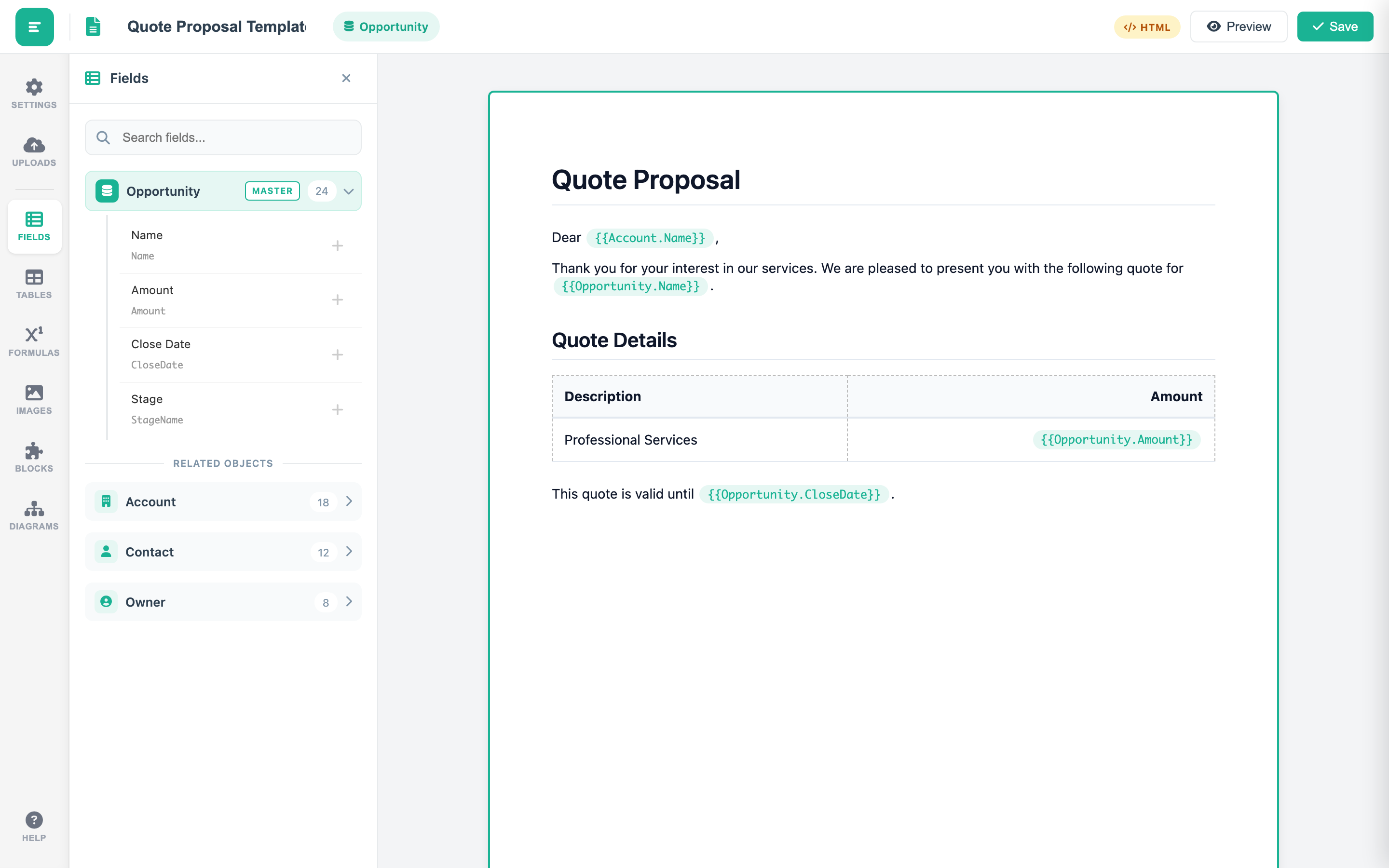
Generate personalized account statements using the template editor with merge fields and styled tables -- pulling account balances, transaction history, and holdings directly from Salesforce records into branded PDFs.
Regulatory Filing Automation
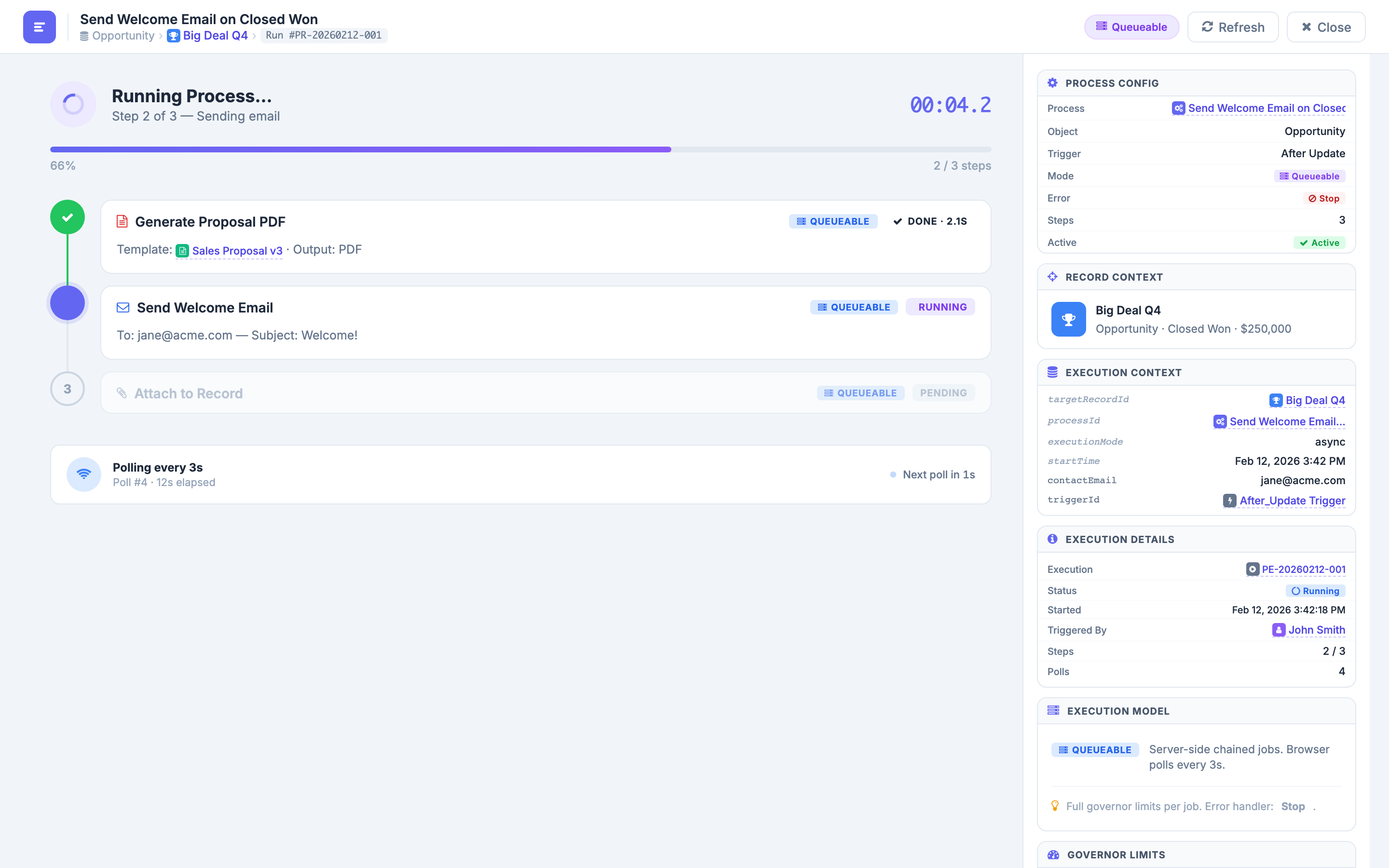
Automate the entire compliance filing workflow with process automation -- from document generation through conditional routing, email delivery, and file attachment -- with real-time per-step status monitoring and complete execution logging.
What financial services teams achieve with NimeDocs
QUERY() pulls live portfolio and account data. NimeSheet applies your financial formulas. CHART() renders the visualizations. One click generates the final XLSX or PDF. The multi-day reporting cycle becomes a single automated step.
Every number in every document is pulled directly from Salesforce records via merge fields and formula functions. No copy-paste. No transposition. No stale data. The document always matches the source of truth.
ContentVersion-based versioning tracks who generated what, when, and from which record. Process automation with per-step status monitoring provides full visibility into document workflows. When regulators ask, you have the answers.
Ready to automate your financial reporting?
See how NimeSheet, QUERY(), and 14 chart types transform quarterly reporting. Apply for the pilot program today.